Firstly it is worth to say what exactly Search engine optimization (SEO) is. So, SEO is a kind of websites' technical aspects that makes them better from "position of website in search results (serps)" point of view. So, in simple words - these techiniques and tactics allows to get high-ranking placement of your website when someone search for example in google.
What is SEO 301 Redirect?
301 redirect allows to permanently change the web address of website page from an old url to a new one. From e-commerce point of view I can show you the practical example.
For example you had product Blue T-shirt with an url: www.example.com/blue-t-shirt.html. For some reasons this product is no longer available but you've got new one: Awesome blue t-shirt.com www.example.com/awesome-blue-tshirt.html.
Now if someone will try to reach blue-t-shirt.html page it will spawn 404 error because this product is no longer available in your offer. To avoid 404 error - you can create there 301 redirection so customer will be redirected to awesome-blue-tshirt.html instead.
It's very useful, not only from customer point of view but also from seo point of view. Google hates 404 errors and pages no longer available will be excluded from serps, so you will lose your position. With 301 redirect you will not lose your high rank in serps!
Some another pros?
If some of your website that is no longer available attracts 5 inbound links and the second website URL also attracts high PR 5 inbound links, wouldn’t it be great to have 10 high PR inbound links on a single page :-) Hence you should always do a 301 redirect.
You did some marketing campaigns before for selected url that is no longer available and don't want to lose the traffic? Do a 301 redirect to a new url.
You migrated your website to a new domain and need to migrate also thousands of links from your old domain to new one? Do a 301 redirect to every single one of them
You edited an ol urls to a new one? May be because of a typo of error or a keyword insertion? Do a 301 redirect
Why 301 redirects are important for PrestaShop?
Position in serps for e-commerce websites are very important. High traffic usually means higher income. With many pages that spawn 404 errors you will lose your google search result position. To avoid 404 errors and create valuable redirections you can use 301 seo redirect module that works also with new PrestaShop 1.7
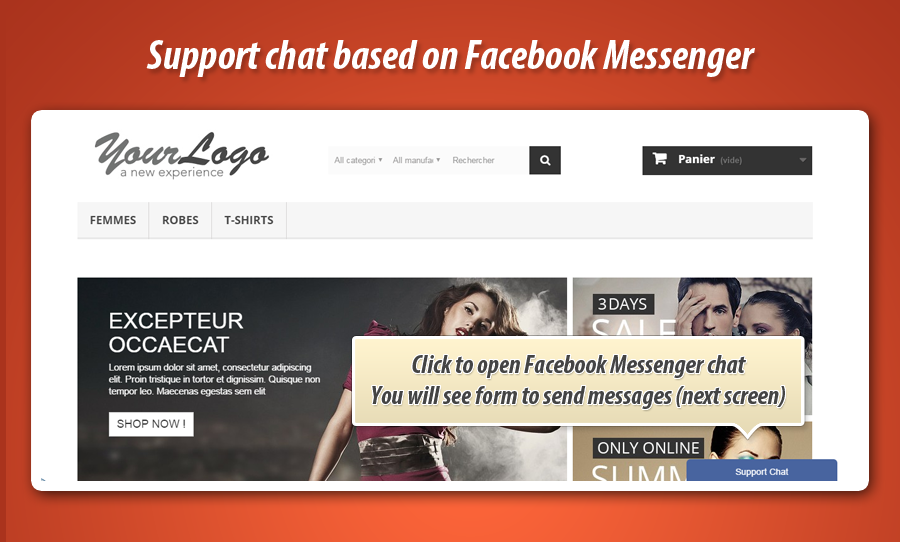
Facebook messenger is now the most popular instant messaging system all over the world. From official facebook statistics we can read that it is used by over 900 million users! Probably everyone with android / ios device uses messenger to talk with friends family etc.
This is why it is worth to use it to improve your customer support service. If you're wondering how to use it in your PrestaShop - the answer is easy:Facebook messenger module for PrestaShop.
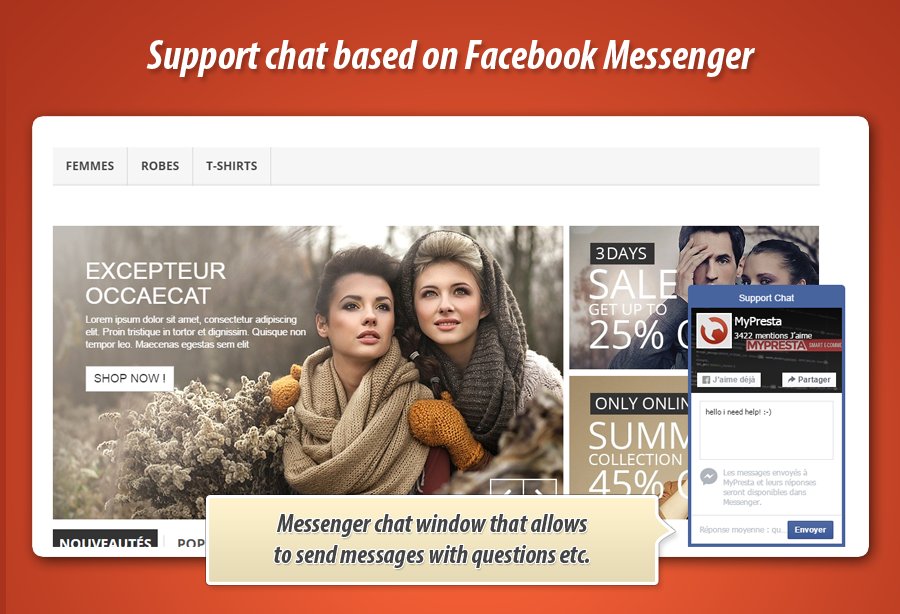
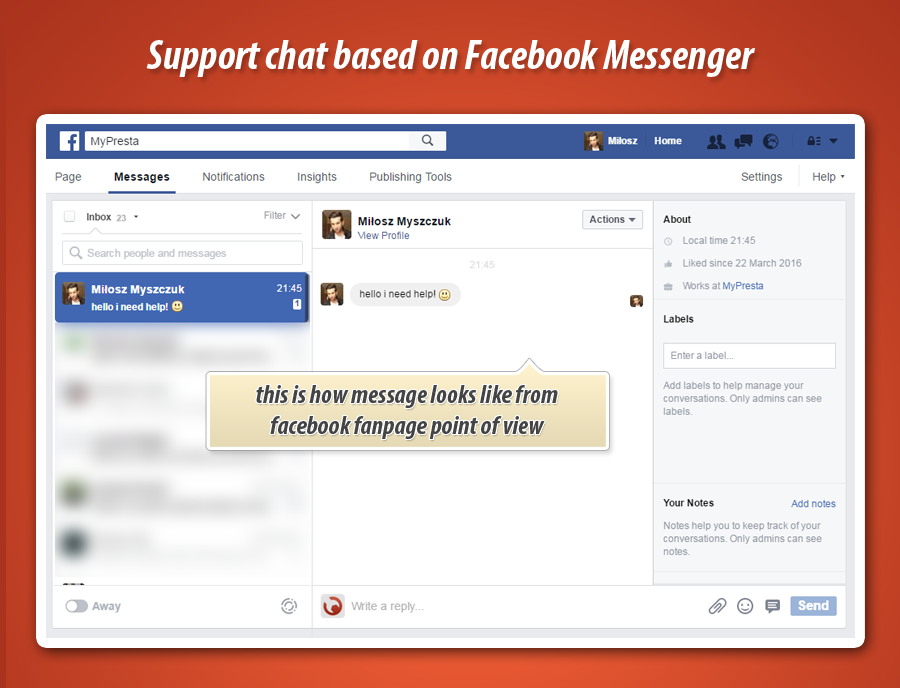
With this responsive addon your customers will have possibility to send you messages (to your company facebook messenger profile) directly from your shop website. Once your customer will write a message you - you will receive it like a standard facebook message (so you will get notification both on facebook desktop version and on your mobile device).
Moreover, this module is a great way to increase number of your company fanpage fans. It's a kind of advertisement and with this addon you can gain more and more followers. Great way to build stable, large engaged to your fb community.
below you can find screenshots of the module workflow
Here you can check how easily you can integrate your online shop based on PrestaShop with PayPal login feature. With this feature your shop guests can register account and log in with their PayPal accounts. Video below shows how to install and configure the module. You can also see how the module works below. Enjoy the cheapest paypal login module for PrestaShop
This post is exactly for you if you're looking for solution to your PrestaShop store that contains feature to sell "gift cards" - by the way - they are very popular in retail stores. With module that i will describe here you can create "gift card" products and sell them on your website. Customer who will order the gift product will receive personalized discount code, customer can also send this gift to friend. These codes will be automatically generated, this means that each code will be unique, so customers will receive personalized codes available only for them.
First "main settings" where you can manage global settings of the module. here you can define when module will generate gift card. You can generate them only if order status will be marked as you will choice here. For example, you can select there "payment accepted" or "delivered". etc.
Second section "Define vouchers" is a section where you can define gift cards. You can create unlimited number of gift cards. Each gift card can be personalized with advanced voucher configuration tool. This means that you can create gift cards with different amounts, restriction settings (for example gift card only for selected products category, selected manufacturer etc.)
Third section "guide" contains videos related to module configuration. You can watch videos directly in your shop back office. It's great, because with these videos you can see how easily you can define the gift cards and how easily you can configure them.
Fourth section "upgrade check" contains feature to check module installation for potential problems. If module will find some problems - script will try to fix them. Its great tool especiall if we uploaded upgrade of the module. You will avoid confusion with module update :-)
If you're wondering how to generate thousands of coupon codes in PrestaShop with one mouse click - you have to watch this video which is based on discount generator modulefor PrestaShop. With this PrestaShop addon you can specify each aspect of coupon code settings. Module allows to define settings like minimum cart quantity, total available, total available per customer, voucher value in percentage, amount (with or without taxes), free shipping, free product etc. This means that you can configure each aspect of coupon code - and generate thousands of the same codes (settings) by one mouse click!
watch video related to module configuration & module usage
If you bought html box pro by MyPresta and wondering how to manage this module to create own custom contents on your website you have to watch this video. This video shows how to install and manage the html box pro module. You can find here helpful informations about creating and editing blocks, changing positions of the blocks, turning on / off blocks. Adding own hooks etc.
If you're looking for tool that will allow you (you as a PrestaShop admin) to log in to the shop as a customer - you have to watch this video and check module Log In as Customer
This great addon for PrestaShop adds special tiny button to each customer on customers list in back office. When you will click on it - module will redirect you to shop front office, you will be automatically logged in as a selected customer.
this PrestaShop module is great usability tool. Watch video below to check how module works
In this carticle i want to show you new cool feature in PrestaShop that allows to display order details directly from list of orders. It's pretty cool feature to increase shop usability and your employees productivity. With this addon you can preview the products that customer bought, preview the delivery address and also preview the invoice address.
Module displays the details when you will click on order. Then my module will expand block where you can see the details. To see how the module works please watch video below
more informations about module you can find on module official website:
PrestaShop sticky notes for back office is an addon that will increase usability and productivity in your online store management process. With this module your and your customers will never forget about most important tasks in your online store with handy and easy in use stickers that you can put anywhere you want in your store back office.
each page can have own unique stickers to inform employees about most important things to do etc.
In this guide I want to show you how easily you can add banners to your homepage with absolutely free HTML BOX module. This addon allows to put custom contents to your shop in various places. It allows to upload files so you will be able to upload own pictures and display them anywhere you want. In this guide i want to show you how to do it.
European Union makes life harder ;-) Cookies law is a part of Privacy and Electronic Communications Regulations. Whole law related to cookies was started in EU Directive that was adopted by EU countries in May 2011. This law says that website owners must inform each guest that visit website about Cookies. So, if our online store uses Cookies - we must inform our customers about that fact.
How to meet law requirements?
If you want to add cookie notification to your online store based on PrestaShop you can use my free PrestaShop module: responsive cookies law for PrestaShop. This addon is trusted by official addons marketplace, so you can use it even in your PrestaShop Cloud (see instructions: how to install module in PrestaShop Cloud).
In this article I want to introduce my module to display gallery of product on category view page. With this addon you can build fully responsive galleries of products that your category pages display. In fact, with this addon you can build gallery there, where listings of products appear. this means that nice gallery with slider will appear also on homepage (see screenshot), on related products section, manufacturer products, supplier products etc.
It's a powerfull PrestaShop addon with many configuration options. For example with this module you can enable or disable pictures slider. It's a great tool especially when you have a lot of product pictures. You can also display pictures of color attribute to show each available color of your product. You can activate product switcher with "click" feature and with "on mouse over" feature.
Based on this free zopim chat module for PrestaShop i want to show you how easily you can disable modules for selected devices. In PrestaShop 1.6 you can enable or disable addon on:
desktop
mobile devices
tablet devices
to do this you have to go to modules > modules section and near each module roll out dropdown selection and select appopriate option to disable module on selected device.
.png)